

Description
Download SnapaShot Pro – Free, Secure Screen Capture Tool for Windows, Mac & Android
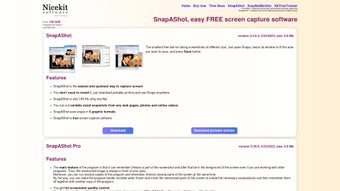
SnapaShot Pro is a lightweight, efficient screen capture utility designed for Windows, Mac, and Android users who need a fast and reliable way to capture screenshots. With its intuitive interface and minimal setup, this tool simplifies the process of capturing any portion of your screen—whether it’s a single window, a specific area, or the entire display. The resizable capture frame ensures precision, allowing users to select exactly what they want to record. Once captured, images can be instantly copied to the clipboard or saved directly to your preferred folder in multiple formats, including PNG, JPG, BMP, GIF, TIFF, and WDP. SnapaShot Pro is completely free to download and use, making it a top choice for students, professionals, and casual users alike. Its clean design and minimal system impact make it a secure and dependable option for daily screen capture tasks.
Effortless Screen Capture with a Smart, Resizable Frame
SnapaShot Pro stands out in the crowded field of screen capture tools thanks to its innovative resizable frame interface. Unlike traditional tools that require complex key combinations or cluttered menus, SnapaShot Pro uses a simple, drag-and-drop frame that appears on your screen with a single click. This frame can be adjusted in size and position with precision, allowing you to select any area—whether it’s a small section of a webpage or an entire multi-monitor setup. The frame’s responsiveness ensures that even on high-resolution displays, the selection remains accurate and smooth. Once you’ve defined your capture area, a single click saves the screenshot or copies it to the clipboard, streamlining the workflow significantly.
One of the most impressive aspects of this tool is how seamlessly it integrates into your daily routine. Whether you're documenting a bug for IT support, creating tutorials, or saving important information from a presentation, SnapaShot Pro delivers results instantly. The software runs in the background with minimal CPU and memory usage, ensuring it doesn’t slow down your system. It’s particularly beneficial for users who frequently switch between tasks and need a tool that’s both fast and unobtrusive. The ability to capture full-screen, window-specific, or custom regions without leaving your current application makes it ideal for productivity-focused workflows.
Additionally, SnapaShot Pro supports keyboard shortcuts for even faster access. Users can customize these shortcuts to match their preferences, further enhancing efficiency. The tool is also designed with privacy in mind—no telemetry, no ads, and no data collection. This ensures that your screenshots remain private and secure, a crucial feature for professionals handling sensitive information. With its focus on simplicity and performance, SnapaShot Pro delivers a premium experience without the premium price tag.
Flexible Output & Cross-Platform Compatibility
SnapaShot Pro goes beyond basic screenshot functionality by offering a wide range of output options. After capturing your screen, you can save the image in multiple formats, including PNG (ideal for transparency and clarity), JPG (great for web use), BMP (standard for Windows), GIF (perfect for short animated captures), TIFF (high-quality for print), and WDP (Windows Media Photo). This versatility ensures that users can choose the best format based on their needs—whether it’s for social media, documentation, or professional design work.
Compatibility is another major strength. SnapaShot Pro is available for Windows (7 and later), Mac (10.12 and above), and Android (5.0+), making it a truly cross-platform solution. Whether you're working on a desktop, laptop, or mobile device, you can rely on consistent performance and feature parity across platforms. The Android version, in particular, is a standout for users who need to capture content from mobile apps or test UI designs on the go. The interface adapts smoothly to touchscreens, and the capture process remains just as intuitive as on desktops.
Installation is quick and hassle-free. Simply download the installer from the official website, run it, and follow the on-screen prompts. No complex configurations are required—just launch the app and start capturing. The software updates automatically, ensuring you always have the latest security patches and performance improvements. This automatic update feature is a major plus for users who want a maintenance-free experience. Additionally, the app integrates well with cloud storage services when used alongside third-party tools, allowing for seamless backup and sharing of captured images.
Pros, Cons & Why SnapaShot Pro Stands Out
- Pros:
- Free to download and use with no hidden costs
- Lightweight and fast, with minimal system resource usage
- Resizable capture frame for precise selection
- Supports multiple image formats (PNG, JPG, BMP, GIF, TIFF, WDP)
- Keyboard shortcuts for quick access
- Secure and private—no data tracking or ads
- Available for Windows, Mac, and Android
- Automatic updates ensure security and performance
- Cons:
- Limited advanced editing tools (e.g., no built-in annotation or cropping)
- No built-in cloud sharing or collaboration features
- Android version lacks some desktop-level customization
Despite its minimal feature set, SnapaShot Pro excels in what it does best: capturing high-quality screenshots quickly and securely. While it doesn’t offer the advanced editing or sharing capabilities of tools like Snagit or LightShot, it makes up for it with reliability, speed, and a clean user experience. For users who prioritize efficiency over extras, this tool is an excellent choice. Its focus on core functionality ensures that it remains stable and responsive, even under heavy use. The lack of bloatware and intrusive features makes it ideal for both beginners and experienced users who want a no-nonsense solution.
Frequently Asked Questions (FAQ)
Is SnapaShot Pro free to download and use?
Yes, SnapaShot Pro is completely free to download and use. There are no subscription fees, trial limitations, or hidden charges. You can use all core features indefinitely without any restrictions.
Can I use SnapaShot Pro on Mac and Android?
Yes, SnapaShot Pro is available for Windows (7+), Mac (10.12+), and Android (5.0+). The app maintains consistent performance and interface across all platforms.
Does SnapaShot Pro support GIF captures?
Yes, SnapaShot Pro allows you to save screenshots as animated GIFs, making it useful for capturing short screen actions or UI interactions.
Is my data safe when using SnapaShot Pro?
Yes, SnapaShot Pro does not collect or transmit any user data. All screenshots are stored locally on your device unless you manually share them. The software is designed with privacy and security in mind.
How do I update SnapaShot Pro?
SnapaShot Pro updates automatically. You’ll receive the latest version in the background, ensuring you always have access to the newest features and security patches.
Can I customize keyboard shortcuts?
Yes, users can customize keyboard shortcuts for capturing screenshots, allowing for faster workflow integration based on personal preferences.
Conclusion: The Best Free Screen Capture Tool for Everyday Use
If you’re looking for a reliable, fast, and secure way to take screenshots without the clutter, SnapaShot Pro is an excellent choice. Its intuitive resizable frame, support for multiple formats, and cross-platform availability make it a versatile tool for students, content creators, developers, and professionals. While it may lack advanced editing features, its focus on simplicity and performance ensures a smooth experience every time.
Whether you're capturing error messages, creating tutorials, or saving important content, SnapaShot Pro delivers exactly what you need—when you need it. With no ads, no tracking, and a free license, it’s one of the most trustworthy screen capture tools available today.
Download SnapaShot Pro now and simplify your screenshot workflow today!
Guides & Tutorials for SnapaShot Pro
How to install SnapaShot Pro
- Click the Preview / Download button above.
- Once redirected, accept the terms and click Install.
- Wait for the SnapaShot Pro download to finish on your device.
How to use SnapaShot Pro
This software is primarily used for its core features described above. Open the app after installation to explore its capabilities.
User Reviews for SnapaShot Pro 0
No reviews found





